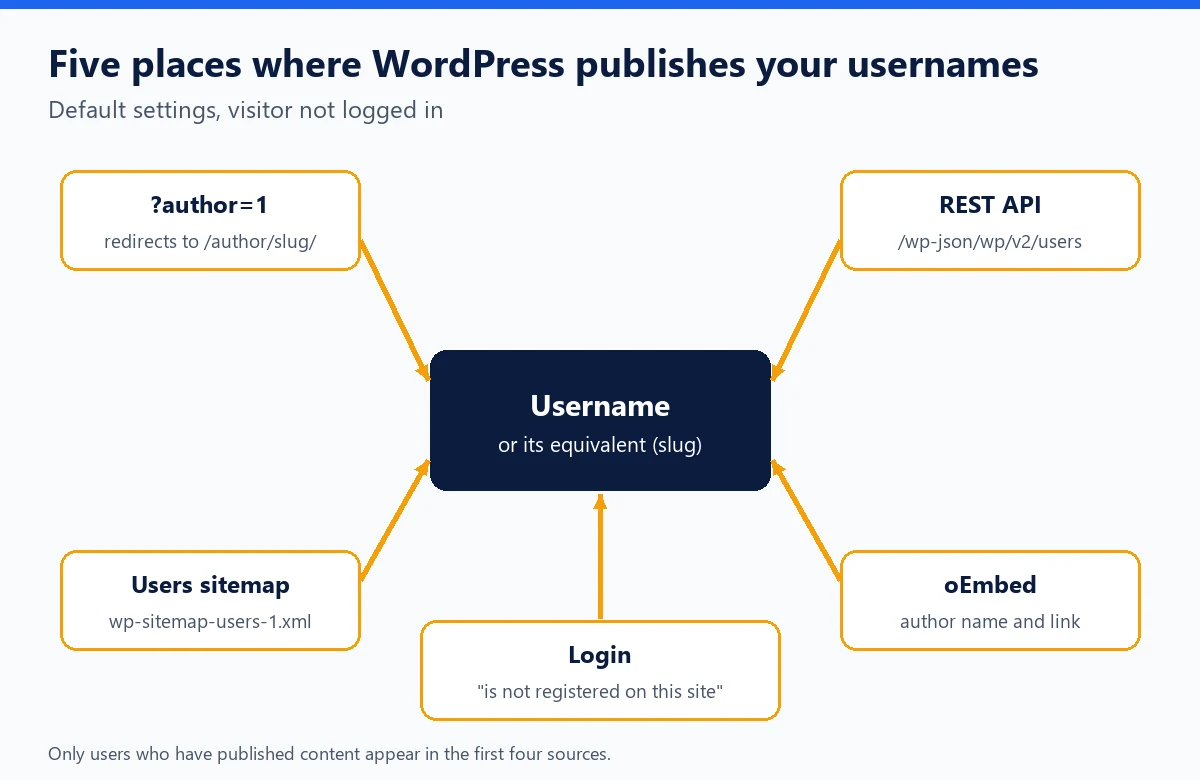
To attack a site's login, a bot needs a username. On a WordPress site with default settings, it does not have to guess: several public URLs reveal it, directly or almost. Here are the five sources of leaks, how to test them on your own site in two minutes, and the defenses that break neither the editor nor your SEO.
Quick definition: User enumeration. Ready-made solution: WordPress hardening with WP Masquerade.
Why the username matters
A set of login credentials has two halves. If the username is known, only the password remains to be found, and the attempts focus on real accounts instead of random names. The most common WordPress audit tools actually include a user enumeration option: it is a standard step in any reconnaissance.
It is also important to keep things in proportion. The username is not a secret in the cryptographic sense: WordPress does not treat it as one, and a site with a unique password and two-factor authentication remains protected even if the username is public. The goal is to take away a free advantage from the attacker, not to build security on this secret.
The five sources of leaks
1. The ?author= parameter
A request to /?author=1 is redirected to the author archive, for example /author/jean-dupont/. The code in canonical.php only performs this redirect if the user has at least one published post. The problem lies in the author slug (user_nicename): the wp_insert_user() function derives it from the login username. If your username is jdupont, the archive URL contains jdupont. By incrementing the number, a bot lists every author.
2. The REST API
The /wp-json/wp/v2/users route responds to anonymous visitors. Since WordPress 4.7.1, it only lists users who have published content of a post type visible in the API: version 4.7 listed authors more broadly, which led to CVE-2017-5487. Each entry includes the numeric ID, the display name and the slug, which in most cases is a version of the login username.
3. The users sitemap
Since WordPress 5.5, core generates an XML sitemap. It includes a wp-sitemap-users-1.xml file that lists the archives of authors who have published, and therefore their slugs. SEO plugins often replace this sitemap with their own, which may also include authors depending on the settings.
4. oEmbed
To let other sites embed your posts, WordPress exposes an oEmbed response for each piece of content. The code in embed.php puts the author's display name (author_name) and the link to their archive (author_url), which contains the slug, into it.
5. Login error messages
By default, WordPress distinguishes an unknown username ("is not registered on this site") from an incorrect password for an existing username. These messages, visible in wp-includes/user.php, make it possible to check candidate usernames one by one.
| Source | URL to test | What is revealed | Who is affected |
|---|---|---|---|
| Author parameter | /?author=1, /?author=2… | Slug in the redirect URL | Users who have published |
| REST API | /wp-json/wp/v2/users | Numeric ID, display name, slug | Users who have published |
| Sitemap | /wp-sitemap-users-1.xml | Author archive slugs | Users who have published |
| oEmbed | A post's embed link | Display name, archive link | Author of the post |
| Login | /wp-login.php | Whether a username exists | All accounts |
Test your site in two minutes
Open a private browsing window (so you are logged out) and try the following on your own site:
https://your-site.com/?author=1: if the final URL contains/author/followed by your username, the leak is active.https://your-site.com/wp-json/wp/v2/users: a JSON list withslugfields means the API is open.https://your-site.com/wp-sitemap-users-1.xml(or your SEO plugin's sitemap).- On the login form, a username that does not exist: note the message displayed.
Then compare the slugs you found with the real usernames. If a slug is identical to an administrator's username, that is the first thing to fix.
Defenses, from simplest to most complete
Separate the public name from the username
This is the basic measure, with no plugin. In Users, Profile, fill in a first name, a last name or a nickname, then select it under "Display name publicly as". When no name is entered, the default display name is the username itself. Be careful: changing the display name does not change the slug, which is still derived from the username. For an administrator account, the cleanest solution is not to publish with it: create an Author or Editor account for writing and keep the administrator for administration. An administrator who has published nothing appears in none of the first four sources.
Close the sources you do not need
- Author parameter and archives: if your site does not need author pages, a redirect or a 404 response for anonymous visitors closes the first source.
- REST API: remove the users route for logged-out visitors only. The block editor uses this route for logged-in users: cutting it off for everyone breaks the author selector in the editor.
- Sitemap: core lets you remove the
usersprovider with thewp_sitemaps_add_providerfilter; SEO plugins usually have an equivalent option. - oEmbed: if you have no use for other sites embedding your posts, remove the author data from the response.
- Error messages: the same message in both cases, such as "Incorrect username or password".
Here is the trickiest example, the REST API, handled without getting in the editor's way: the route is removed only for logged-out visitors.
add_filter( 'rest_endpoints', function ( $endpoints ) {
    if ( ! is_user_logged_in() ) {
        unset( $endpoints['/wp/v2/users'], $endpoints['/wp/v2/users/(?P<id>[\d]+)'] );
    }
    return $endpoints;
} );
Make the leak useless
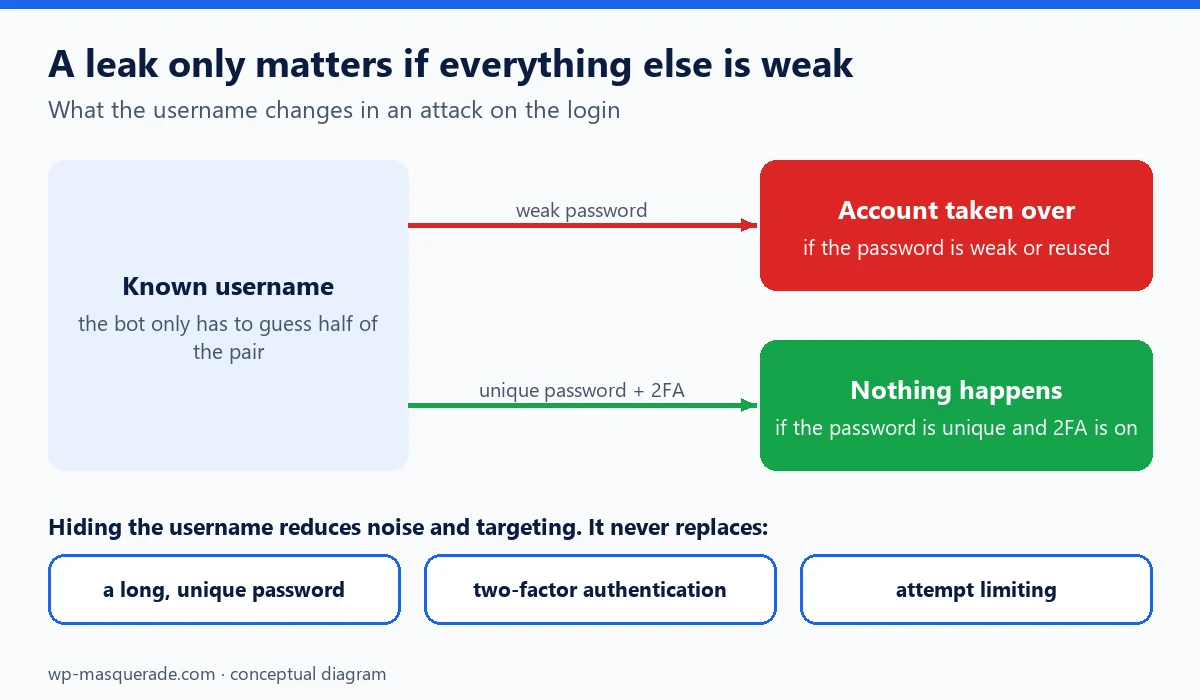
Even when fully closed, these sources are not the only ones: an author name in the theme, a public email address or an old post copied elsewhere is sometimes enough. The real account protections remain a long, unique password, two-factor authentication for administrators, and attempt limiting.
| Defense | Effort | Risk of breakage | What remains visible |
|---|---|---|---|
| Display name different from the username | Very low | None | The slug, derived from the username |
| Do not publish with the administrator account | Low | None | The writing accounts |
| Close author, anonymous REST, sitemap, oEmbed | Medium (code or plugin) | Low if the editor is tested | Mentions in the theme or content |
| Generic error message | Low | None | Nothing on the login side |
With WP Masquerade
The free version of WP Masquerade moves the login page, which takes the standard form away from bots. WP Masquerade Pro closes author enumeration in its Hardening module: author archives and /?author=, the REST users route for anonymous visitors, the authors sitemap and the author in oEmbed responses, while letting the other REST routes and logged-in users work normally. In the same setting, login error messages become generic; attempt limiting completes the setup. As the plugin's guide points out, these settings reduce enumeration without hiding names published elsewhere on the site.
Key takeaways
- By default,
?author=, the REST API, the sitemap, oEmbed and the login form reveal usernames or their slugs. - An author's slug is derived from their login username: changing the display name is not enough.
- Do not publish with an administrator account: it then disappears from the public sources.
- Cut off the REST users route for anonymous visitors only, so you do not break the editor.
- Hiding usernames reduces targeting; a unique password and two-factor authentication remain essential.
Sources
- WordPress source code: canonical.php (?author= redirect) (opens in a new tab)
- NVD: CVE-2017-5487 (author list via the REST API, WordPress 4.7) (opens in a new tab)
- Make WordPress Core: New XML Sitemaps Functionality in WordPress 5.5 (opens in a new tab)
- WordPress Developer Resources: REST API Handbook, Users (opens in a new tab)
Other sources consulted: official vendor pages.