What imitation does
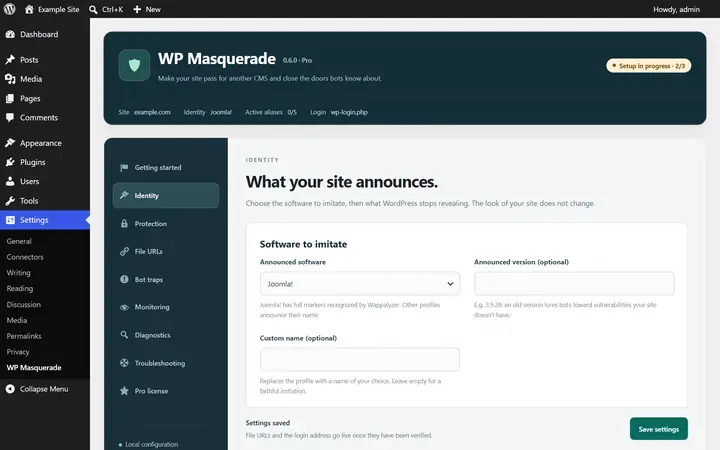
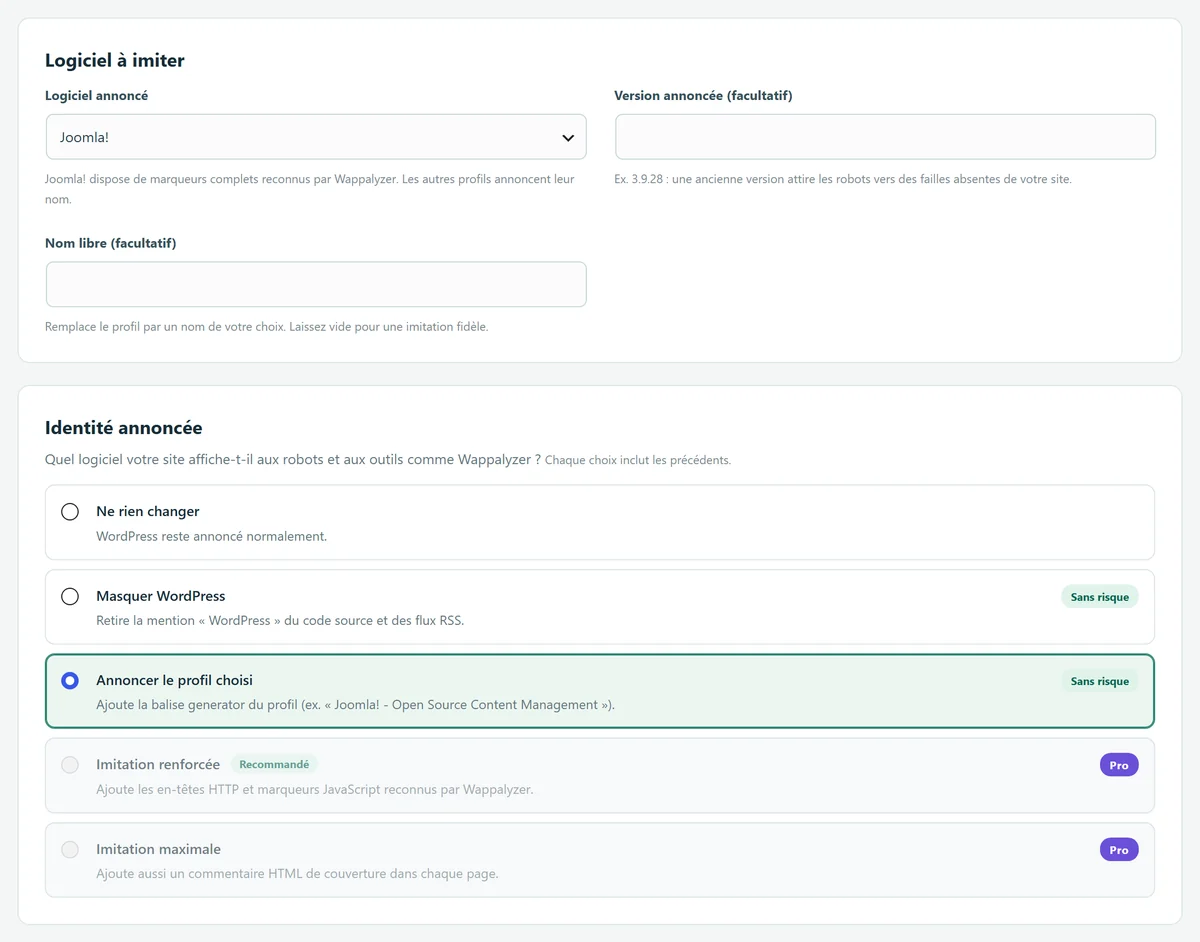
The Identity module controls what your site reports to bots and to detection tools like Wappalyzer. It removes the “WordPress” mention from your source code and RSS feeds, then announces the software of your choice with its authentic generator tag, for example “Joomla! - Open Source Content Management”.
The principle is explained in our definition of fingerprinting. To see which clues give WordPress away and which ones you can remove yourself, read how Wappalyzer and bots detect WordPress.
Your site looks exactly the same. Only the technical declarations, which your visitors never see, are changed.
Why it helps
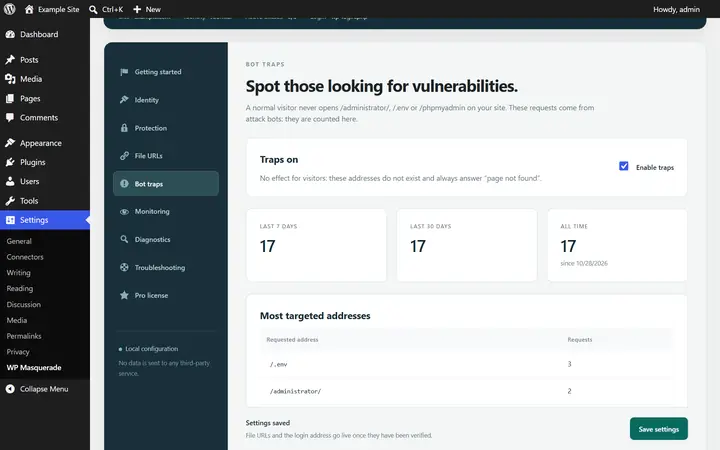
Attack bots sort sites before they strike. A site that presents itself as Joomla! gets attempts built for Joomla!: they fail on your WordPress site, and those visits can even be counted by the bot traps.
You can also announce a specific version. An old version lures bots toward vulnerabilities your site doesn’t have. That said, the guide advises against relying on this effect alone to deter an attacker.
5 free profiles, 41 with Pro
The free version offers the five platforms bots expect most, each with its authentic generator tag: Joomla!, Drupal, PrestaShop, TYPO3, and MediaWiki. You can also announce a name of your choice. WP Masquerade Pro adds 36 profiles, for 41 in total:
| Category | Free Free feature | Added by Pro Pro feature |
|---|---|---|
| Portals and CMSs | Drupal, Joomla!, TYPO3 | Concrete CMS, Grav, ProcessWire, Silverstripe CMS, MODX |
| Wikis | MediaWiki | DokuWiki |
| E-commerce | PrestaShop | OpenCart, Magento |
| Blogs and publishing | Default | WordPress, Ghost, Dotclear, Serendipity, b2evolution, Textpattern, Movable Type, Typecho, Bludit, Publii, Pelican, Jekyll, Hugo |
| Forums and communities | Default | phpBB, MyBB, SMF, Flarum, Discourse, NodeBB, Vanilla Forums, XenForo, Invision Community, vBulletin, FluxBB, PunBB, bbPress |
| Surveys | Default | LimeSurvey, Form Tools |
| Custom code | Custom name | Custom name |
Joomla!, Drupal, PrestaShop, TYPO3, and MediaWiki, plus DokuWiki and Grav with Pro, come with an authentic generator tag. The other profiles announce their name. Some profiles represent static site generators or legacy software: their presence in the list is not a recommendation to install them.
Free or Pro
In the free version Free feature
- Removes the WordPress mention (source code and RSS feeds)
- Authentic generator tag for 5 profiles: Joomla!, Drupal, PrestaShop, TYPO3, MediaWiki
- Optional custom name and announced version
With WP Masquerade Pro Pro feature
- 41 imitation profiles (blogs, forums, wikis, e-commerce…)
- HTTP headers and JavaScript markers recognized by Wappalyzer, for Joomla!, Drupal, PrestaShop, Magento, MediaWiki, phpBB, and TYPO3
- Cover HTML comment in every page
- Markers kept up to date through the signature feed, without waiting for a new release
Identity module levels
| Option | Effect | Version |
|---|---|---|
| Change nothing | WordPress is announced as usual. | Default |
| Hide WordPress | Removes the “WordPress” mention from the source code and RSS feeds. | Free feature |
| Announce the chosen profile | Adds the profile’s generator tag (e.g. “Joomla! - Open Source Content Management”). 5 profiles free, 41 with Pro. | Free feature |
| Enhanced imitation | Adds the HTTP headers and JavaScript markers recognized by Wappalyzer. | Pro feature |
| Maximum imitation | Also adds a cover HTML comment in every page. | Pro feature |
How to set it up
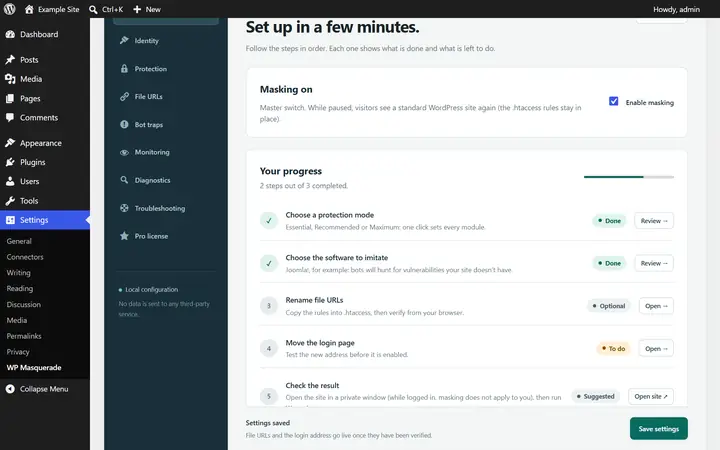
- Go to WP Masquerade → Identity (the mask icon in the admin menu; "Masquerade Security" if you use the free version on its own).
- Pick the software to imitate, then the imitation level.
- Optional: enter an announced version (leave it empty to announce no version) or a custom name that replaces the profile’s name.
- Save, then check the result in a private window: while you’re logged in, you see the site without the disguise.
With Pro, you can also match your folder names to the profile for a more convincing imitation: the “Suggest paths for this profile” button fills in the fields for you (Drupal example: sites/default/files, core, modules, themes).
Limitations and precautions
- Imitation doesn’t fully reproduce the announced software: it adds its best-known fingerprints.
- Themes or plugins that output their own generator tag are not corrected automatically.
- The HTTP header may be missing from a response served by an upstream cache.
- A higher level adds more cover fingerprints: it doesn’t automatically make your site more secure.
- WordPress exports and the admin area are not modified.
Start free, upgrade to Pro when you’re ready
The free version already hides WordPress, moves the login page, blocks XML-RPC and counts bots. Pro locks down logins, renames file URLs and monitors your sites for you: known vulnerabilities, core integrity, activity log, email alerts and the update status of all your sites in your member area. From €59 per year excl. tax, far less than the cleanup offers whose prices we checked. Compare the costs.