What AI crawler control does
AI crawlers do not all do the same job. Some copy your pages to train models, some index them so an answer engine can cite you with a link, and some open a page because a user of an assistant asked for it. WP Masquerade Pro sorts 37 known crawlers into four families and lets you decide, for each one, to allow it, block it or allow only some paths of your site.
| Family | What these crawlers do | Examples | robots.txt, according to the vendors |
|---|---|---|---|
| Training of AI models (19 crawlers) | Collect content to train models. Your pages bring you nothing back. | GPTBot, ClaudeBot, Google-Extended, Applebot-Extended, CCBot, Meta-ExternalAgent, Bytespider | Followed by most; Google-Extended and Applebot-Extended are robots.txt tokens only; several crawlers have no vendor documentation at all |
| AI search and answers (8 crawlers) | Index pages so AI search engines and assistants can cite them with a link. Their vendors say this content is not used for training. | OAI-SearchBot, Claude-SearchBot, PerplexityBot, DuckAssistBot, MistralAI-Index | Followed |
| Fetches asked by users (8 crawlers) | A user of ChatGPT, Claude, Perplexity or Meta AI asks about a page and the assistant opens it. | ChatGPT-User, Claude-User, Perplexity-User, Meta-ExternalFetcher, Google-Agent | Several vendors say robots.txt may not apply: only the hard block stops them |
| Data extraction and image indexes (2 crawlers) | Extract data or index images for other products. | Diffbot, ImagesiftBot | Followed |
Regular search engines are never affected: Googlebot, Bingbot, Applebot, DuckDuckBot, Qwantbot and the link preview bots of social networks are always allowed, whatever you choose.
Why choose per family
Blocking everything is easy, but you then also vanish from the answers of AI search engines, which send more and more visitors: a real GEO concern. Allowing everything lets any crawler copy your writing to train a model, with no link or visit in return. Most site owners want something in between: be cited, but don’t become training material. That is exactly what the first of the three quick choices does.
Writing robots.txt rules by hand means knowing the exact name of every crawler, keeping up with new ones, and still having nothing against those that ignore the file. The tab combines both mechanisms and keeps the list current for you.
What’s included Pro feature
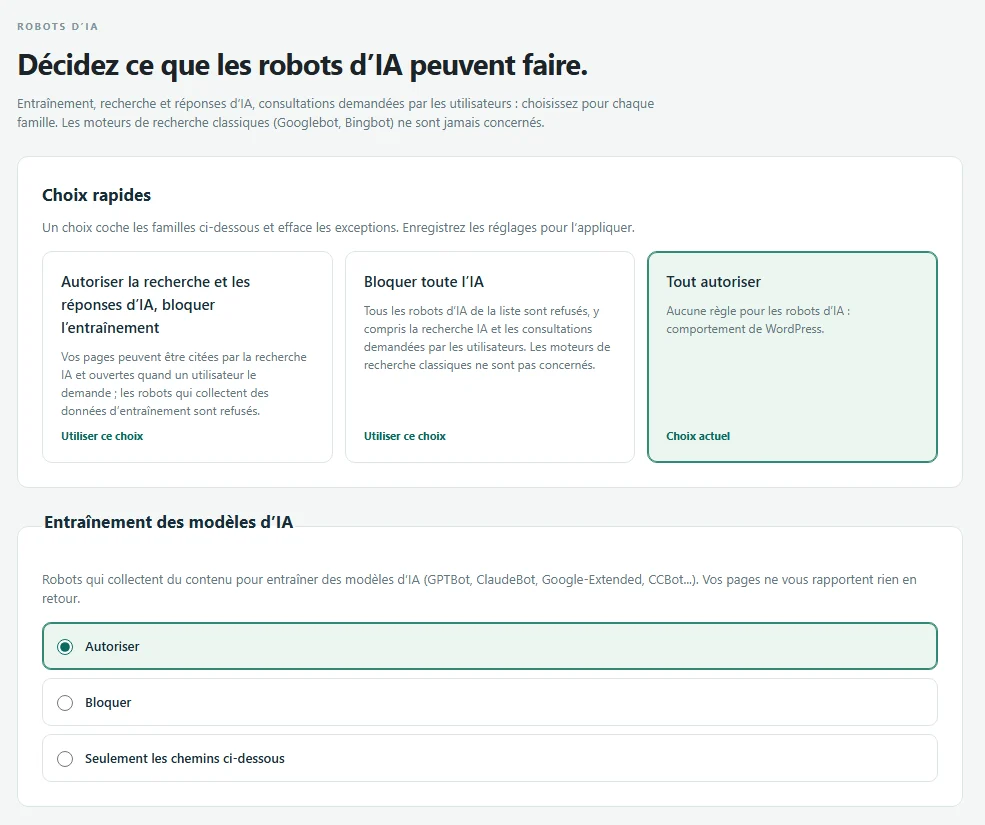
- Three quick choices: “Allow search and AI answers, block training”, “Block all AI” and “Allow all”.
- For each family: Allow, Block or Only the paths below (up to 20 paths in robots.txt syntax, for example /blog/ or /docs/*.html$).
- Per-crawler exceptions, each crawler shown with its vendor and what its documentation says: follows robots.txt, may ignore it, robots.txt token only, or not documented.
- robots.txt rules added to the virtual robots.txt of WordPress, with a preview of the lines produced. A physical robots.txt file or a site installed in a subfolder is detected, and the tab then shows the lines to copy.
- An optional hard block: blocked crawlers that announce themselves in their user agent get a 403 or 404 answer at the very start of the request, whether they read robots.txt or not.
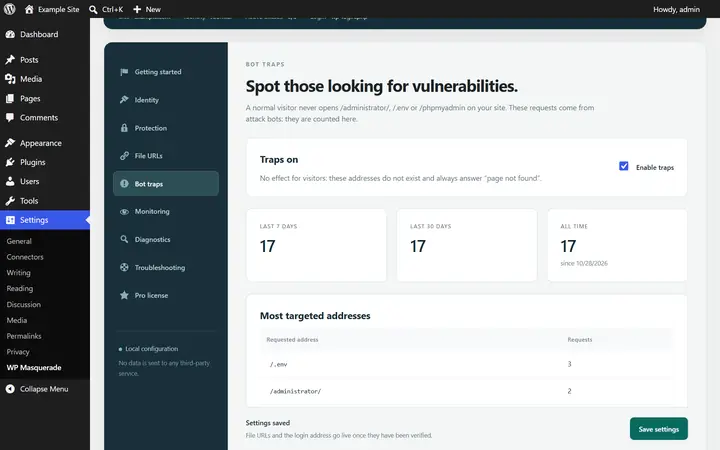
- A counter of refused requests per crawler over 7 and 30 days, with no IP address or page stored.
- The “Maximum” mode of the setup wizard asks training and data extraction crawlers to stay away (robots.txt only).
- These choices are part of the exported settings: a dedicated section of settings import and export copies them to your other sites.
How to set it up
- Open WP Masquerade → AI crawlers (the mask icon in the admin menu).
- Click one of the Quick choices, or set each family yourself. If you pick “Only the paths below”, enter the allowed paths, one per line.
- If needed, open the crawler list to give one of them a different rule.
- Under “How the choices are applied”, turn on the robots.txt rules and, if you want, the hard block with a 403 or 404 answer. Both stay off until you turn them on.
- Save, then click Open robots.txt to check the lines that were added.
With the “Allow search and AI answers, block training” choice, robots.txt gets a group like this one (excerpt):
# AI crawlers
User-agent: GPTBot
User-agent: ClaudeBot
User-agent: Google-Extended
User-agent: Applebot-Extended
User-agent: CCBot
User-agent: Diffbot
Disallow: /
Limits and precautions
- robots.txt is a request, not a lock: well-behaved crawlers follow it, others ignore it or crawl without saying who they are.
- The hard block relies on the user agent the crawler announces. A crawler posing as an ordinary browser is not recognised.
- Pages served from a server cache or a CDN never reach WordPress, so the hard block does not see them. robots.txt is then the only signal.
- Google-Extended, Applebot-Extended and the shared __usage_ai-training token have no user agent of their own: only robots.txt can express them.
- Blocking a crawler today does not remove what it already collected, nor anything from models already trained.
- No “noai” header or meta tag is sent: no major AI vendor documents honouring them.
- Logged-in users, the administration, cron, REST and AJAX requests and your trusted addresses are never refused. If something goes wrong, a constant in wp-config.php turns the hard block off.
Several sites? Set your choices once, save them in a settings profile and apply it to your client sites from the agency dashboard of your member area, on the sites that allowed it.
AI crawler FAQ
Does blocking AI crawlers hurt my Google rankings?
No. Googlebot and Bingbot are never blocked. Google states that Google-Extended, the token used to opt out of training its Gemini models, has no effect on inclusion or ranking in Google Search. AI Overviews are part of Google Search and depend on Googlebot, so this setting does not touch them.
What is the difference between training and search?
A training crawler copies your pages to improve a model: the text becomes raw material, with no link back to you. A search crawler indexes your pages so an assistant can cite them when it answers, usually with a link. OpenAI, for example, separates GPTBot (training) from OAI-SearchBot (search in ChatGPT).
Will my content disappear from ChatGPT?
Not what was already collected: a trained model keeps what it learned. Blocking GPTBot stops future collection for training. If you also block the “AI search and answers” family, your pages are no longer indexed for ChatGPT search and you give up being cited there.
I already have a robots.txt file on the server. What happens?
A physical robots.txt file is served directly by the web server and replaces the one from WordPress, so the plugin cannot add its rules to it. The tab detects it and shows the lines to paste at the end of your file. The same goes for a site installed in a subfolder, because crawlers only read the robots.txt at the root of the domain.
Should I turn on the hard block?
Only if robots.txt is not enough, for example for fetches asked by users, which several vendors do not subject to robots.txt. The refused requests counter then shows you who keeps trying. Choose 404 if you would rather have the crawler think the page does not exist than see it is forbidden.
Start free, upgrade to Pro when you’re ready
The free version already hides WordPress, moves the login page, blocks XML-RPC and counts bots. Pro locks down logins, renames file URLs and monitors your sites for you: known vulnerabilities, core integrity, activity log, email alerts and the update status of all your sites in your member area. From €59 per year excl. tax, far less than the cleanup offers whose prices we checked. Compare the costs.