

Before CVEs existed, every vendor, every antivirus and every security bulletin gave the same flaw its own name, which made comparisons nearly impossible. The CVE Program's mission is to identify, define and catalog publicly disclosed cybersecurity vulnerabilities, with a single record per flaw. A CVE is therefore not a severity rating or proof of exploitation: it is a common name that everyone can cite.
How to read a CVE ID
An ID consists of the CVE prefix, a year and a number, for example CVE-2024-4577 (the PHP-CGI flaw on Windows) or CVE-2023-3460 (a vulnerability in the Ultimate Member plugin). The year usually corresponds to when the ID was reserved, not necessarily when the flaw was introduced in the code. The number has no particular meaning and its length varies.
Each record contains a description, the affected products and versions, references (vendor advisory, researcher's analysis) and often a CVSS score estimating severity, along with a weakness type (CWE).
Who assigns CVEs
The program is sponsored by the US agency CISA. IDs are not all issued by a central body: they are assigned by CNAs (CVE Numbering Authorities), partner organizations authorized to number flaws within their scope. The PHP team, for instance, assigned CVE-2024-4577. For WordPress, several security companies are CNAs, including Wordfence, WPScan and Patchstack: they publish most of the CVEs for plugins and themes.
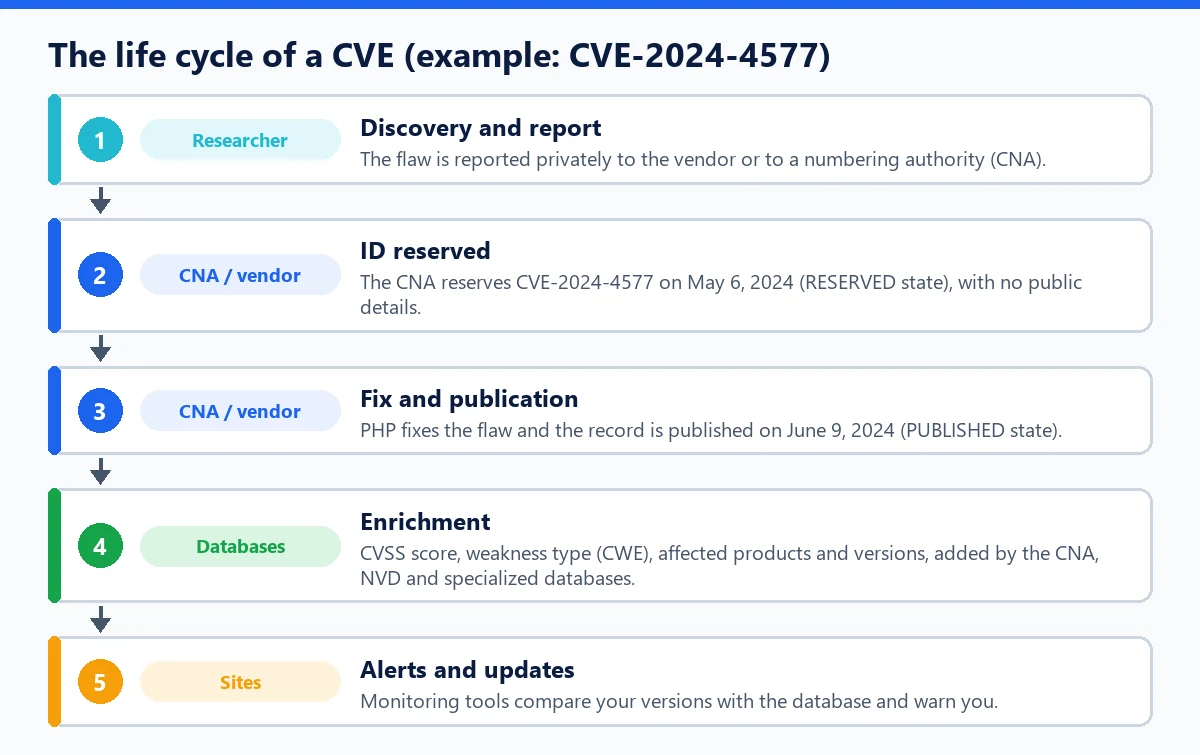
A record goes through several states. It is first reserved (RESERVED) while the fix is being prepared, with no public details, then published (PUBLISHED). For CVE-2024-4577, the reservation dates from May 6, 2024 and the publication from June 9, 2024. An ID assigned by mistake or as a duplicate can also be rejected.
CVE, NVD, KEV: who does what
- CVE: the catalog of IDs and descriptions.
- NVD (National Vulnerability Database, NIST): a database that enriches CVEs with CVSS scores, CWE categories and the list of affected products. Its processing has fallen behind since 2024, which is why specialized databases matter.
- KEV (CISA): the catalog of CVEs with proven real-world exploitation, useful for deciding what to fix first.
For WordPress: using CVEs day to day
For a site owner, the value of a CVE is that it ties an alert to a precise version: “plugin X up to and including version 2.6.6, fixed in 2.6.7.” All you have to do is compare with the installed version. Monitoring tools do this automatically; WP Masquerade Pro's vulnerability alerts, for example, check the installed plugins, themes and WordPress version every day, with severity and fixed version. Choosing sources and organizing your monitoring are covered in this monitoring guide.
WordPress core also receives CVEs, usually fixed by minor releases applied automatically: the history of core security fixes since 2020 gives an overview. On the server side, a CVE can concern PHP itself, like the 2024 PHP-CGI flaw, and then it is the host that has to act.
Common mistakes
- Assuming “no CVE” means “no vulnerability”: many flaws in premium or niche plugins never get an ID, and a zero-day vulnerability doesn't have one yet.
- Confusing a CVE with severity: the ID says nothing about the danger; the score and the context are what matter.
- Relying on a single database: publication delays and coverage vary from one source to another.